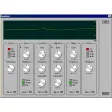
Record and mix tracks in MIDI format
MultitrackStudio is a nice, trial version software only available for Windows, being part of the category Audio software with subcategory Mixers.
More about MultitrackStudio
Since we added this program to our catalog in 2006, it has managed to reach 29,241 downloads, and last week it had 19 downloads.
It's available for users with the operating system Windows 95 and former versions, and it is only available in English. The software version is 4.1 and its last update happened on 5/29/2006.
MultitrackStudio is a light software that requires less space than the average program in the section Audio software. It's a program very heavily used in India, United Kingdom, and Indonesia.
New improved help system.Yellow hint balloons appear at more convenient locations.Hardware control surface support.Mixer sections can be collapsed to save space.Selector windows (the VST plugin selector etc.) can be resized.Level meters of recording audio tracks: righthand segment flashes if overload occurred. Rightclicking resets it.The intensity (brightness) of the green displays and editors is adjustable.VST/DX windows: click the 'metal' to return keyboard focus to MultitrackStudio (if plugin has taken it).Chords and Lyrics. Can be displayed in almost any editor.Toggle Play, Rec, Mute or Edit buttons of all tracks simultaneously (use Ctrl key)Click Track Generator and Tempo Editor: tempo values can be entered by tapping on the space bar.Pianoroll: added big size view.Pianoroll: While selecting a part: if the selected notes make a chord the chord's name is displayed.Notation Editor: better 'cleaning up' of non-quantized notes.Notation Editor: added Tenor and Alto clefs.Drum Editor: delete, drag or change volume of similar notes in similar bars simultaneously.'Mouse Modifiers' to edit individual notes quickly (volume, duration etc., or even 'expand to chord').24 bit losslessly compressed .gjm and .gjs audio files (Pro Plus Edition only).Audio engine takes advantage of dual core CPU.MIDI file resolution doubled.Convolutor effect works faster when used 'live', or when using an Intel CPU (it was fast on AMD already).
Changes
New improved help system.Yellow hint balloons appear at more convenient locations.Hardware control surface support.Mixer sections can be collapsed to save space.Selector windows (the VST plugin selector etc.) can be resized.Level meters of recording audio tracks: righthand segment flashes if overload occurred. Rightclicking resets it.The intensity (brightness) of the green displays and editors is adjustable.VST/DX windows: click the 'metal' to return keyboard focus to MultitrackStudio (if plugin has taken it).Chords and Lyrics. Can be displayed in almost any editor.Toggle Play, Rec, Mute or Edit buttons of all tracks simultaneously (use Ctrl key)Click Track Generator and Tempo Editor: tempo values can be entered by tapping on the space bar.Pianoroll: added big size view.Pianoroll: While selecting a part: if the selected notes make a chord the chord's name is displayed.Notation Editor: better 'cleaning up' of non-quantized notes.Notation Editor: added Tenor and Alto clefs.Drum Editor: delete, drag or change volume of similar notes in similar bars simultaneously.'Mouse Modifiers' to edit individual notes quickly (volume, duration etc., or even 'expand to chord').24 bit losslessly compressed .gjm and .gjs audio files (Pro Plus Edition only).Audio engine takes advantage of dual core CPU.MIDI file resolution doubled.Convolutor effect works faster when used 'live', or when using an Intel CPU (it was fast on AMD already).



























User reviews about MultitrackStudio
Have you tried MultitrackStudio? Be the first to leave your opinion!